How to browse 7Z?

7Z

What is 7Z?

7z is a compressed archive file format that supports several different data compression, encryption and pre-processing filters. The 7z format initially appeared as implemented by the 7-Zip archiver. Both the 7-Zip program and a library to read the 7z file format are publicly available under the terms of the GNU Lesser General Public License.

WinMount can compress, decompress and browse 7Z. Here shows you 3 ways to browse 7Z.

1. Using file association

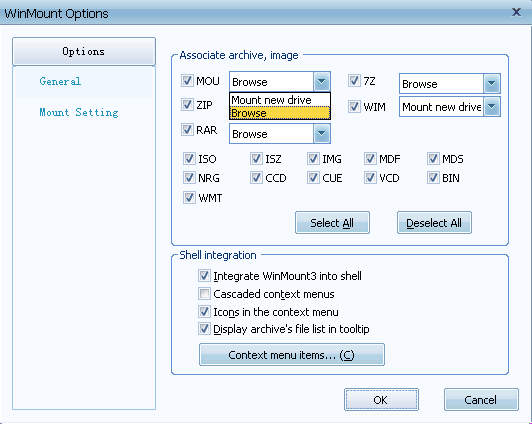
1) Open WinMount main window, Click "Option->Options->File Association", select "browse" on 7Z drop down menu, Click "OK";

browse 7Z option

2) Double click a 7Z file in computer, then 7Z will be opened in WinMount browser.

2. Using right-click menu.

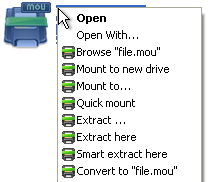
1) Right click a 7Z file, select "Open", then 7Z will be opened in WinMount browser.

3. Using browser mode.

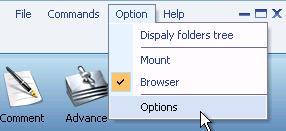
1) Open WinMount browser mode, "Option->Browser".

2) Choose a 7Z file, then 7Z will be opened.

FAQ:

1. How to browse MOU files?
2. How to browse RAR files?
3. How to browse ZIP files?
4. How to browse 7Z files?
5. How to browse WIM files?
6. How to browse ISO files?

Home | Affiliate | Link to us | Links | Awards | Bug report


© Copyright 2007-2010 WinMount International Inc. All Rights Reserved

Email:support@winmount.com